Ergo Tips
Please note that this is general information, and every individual and situation is unique. Please contact us for more specific recommendations.
worksurface height
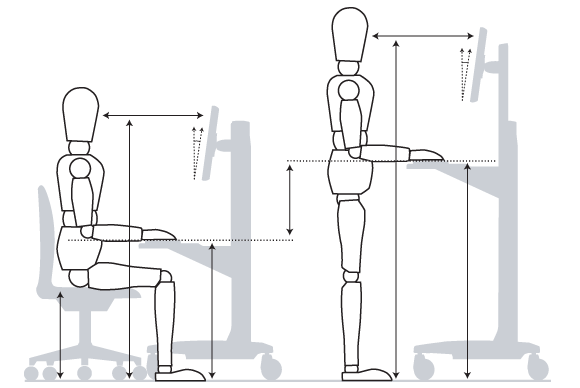
Many people tell me about “tightness” around their shoulders and necks after computer work. Anytime we work on a surface that is too high, we “shrug” our shoulders to reach our keyboard and mouse. This keeps the muscles in your shoulders in a static awkward position.
Two important things to consider:
Your work surface (keyboard and mouse) should always be around your elbow height. You should be able to reach your tools while your shoulders are in a relaxed position and your wrists are straight.
The more you move your shoulders, the more blood flow, the less fatigue and tightness you will feel. Don’t plant your wrists in front of the keyboard and mouse while working.
If your desk is too high, raise your chair up until you arms are flush with the work surface, and use a footrest or box to support your feet.
What is Neutral Posture?
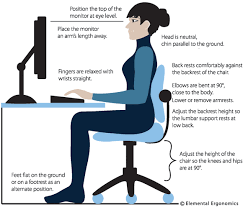
“Neutral Posture” is when your body is most relaxed and your muscles can work most safely and efficiently. This includes:
Straight wrists
Relaxed shoulders
Neck looking straight ahead
Elbows near 90-110 degrees
Lower back with natural curve in spine
Knees about 90-100 degrees
Feet supported
KEYBOARD TRAYS
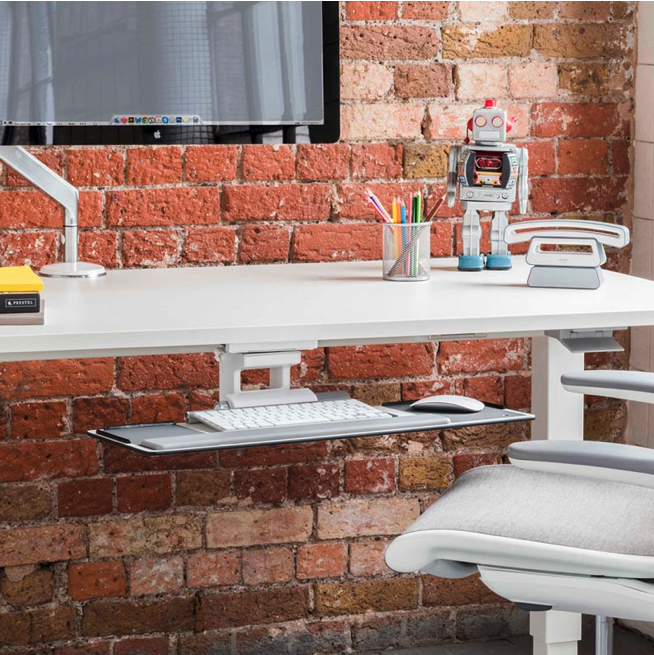
Why consider a keyboard tray (or articulating keyboard support)? If your desk is too high and you are searching for a way to get your keyboard and mouse to the appropriate height (elbow height) a keyboard tray is likely the easiest and most cost effective solution. A tray mounts under the worksurface to hold your keyboard and mouse. However, all keyboard trays are NOT created equal. You’ll want to choose one that had height, depth, and angle adjustability. Here are a few of my favorites:
laptop comfort
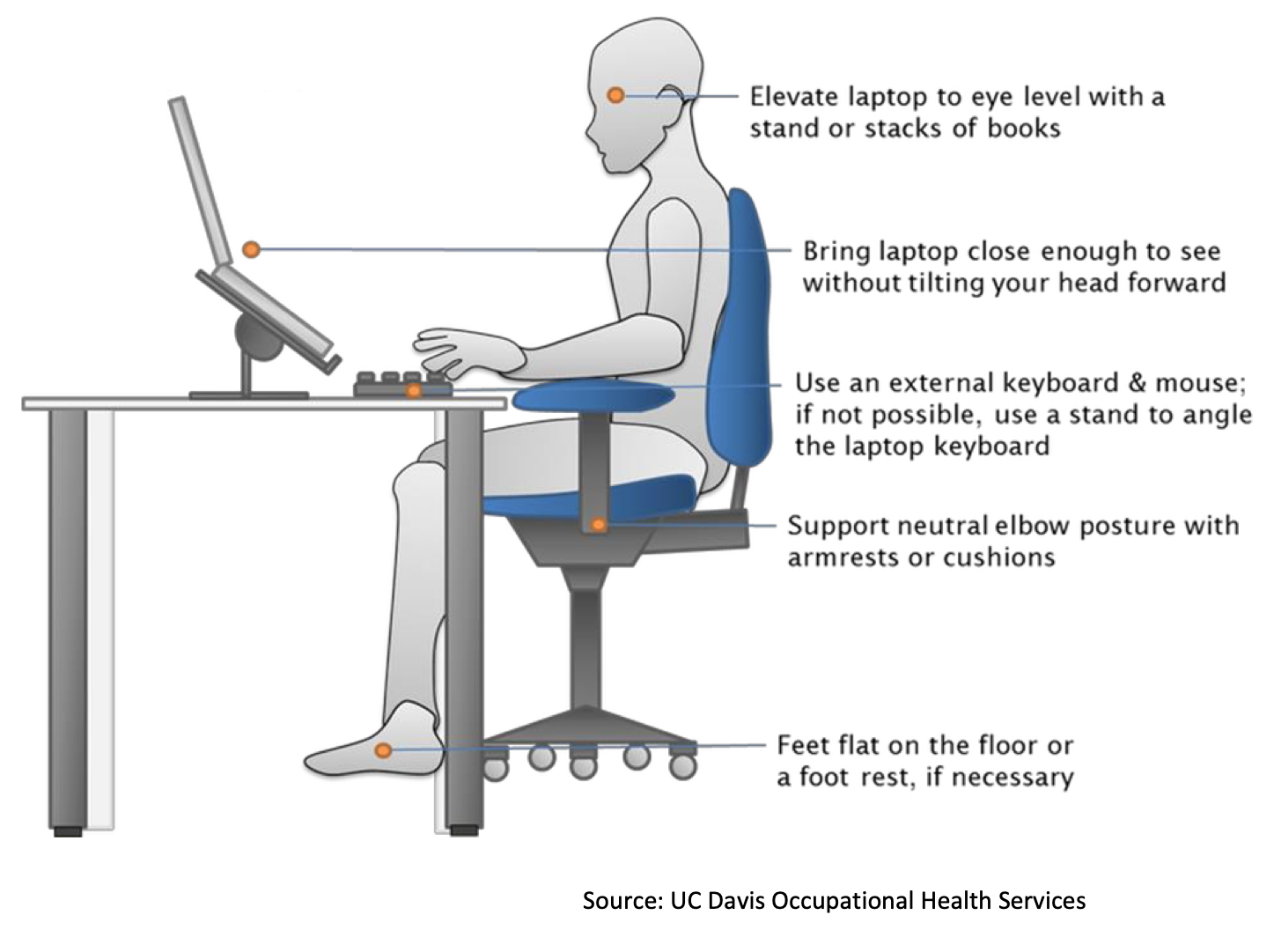
With any work area we want to align keyboard at elbow level, and the screen at eye level. This is difficult when the screen and keyboard are connected (like on your laptop). When using a laptop for long periods- break the keyboard and monitor apart by using an external keyboard and mouse. Raise the screen up to eye level by using a stand or books. This will help you keep the best posture possible!
Great Video on why laptop stands are important!
Check out my favorite laptop stand here: Laptop Stand
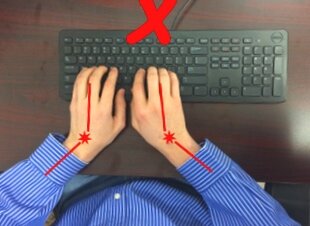
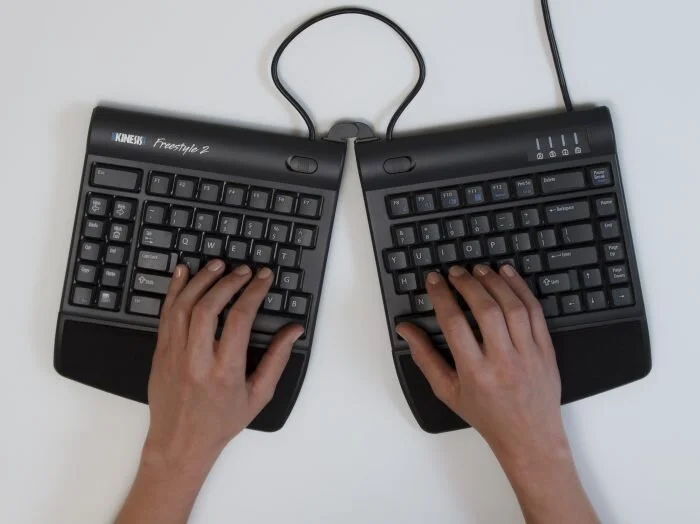
Do I need a Split Keyboard?
When some people use “linear” or standard keyboards, they notice an extreme bending of the wrists toward the pinkie fingers (we call this Ulnar Deviation). This posture can cause discomfort at the outside of the hand, wrist, forearm, and sometimes even the elbow regions.
One way to improve this awkward wrist angle is to use a split keyboard. There are many different models: some “fixed” split, and some “adjustable” split. As with all ergo products, they are not one size fits all.
Check out a few that I recommend on a regular basis. Please feel free to reach out to me for more details!
Kinesis **Note- best when used with accessory kit